Every seed in one place
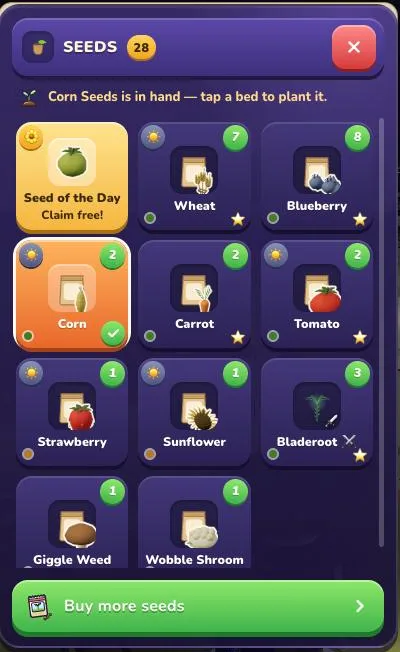
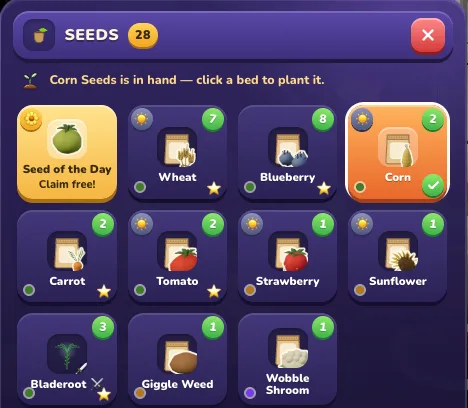
Open the seed pouch on your toolbar (press 6 on a computer, or tap the seed slot on a phone) and every seed you can sow is right there in one grid: ordinary seed packets, your Mystic and bred seeds, and today’s free Seed of the Day. No more flipping between two tabs to find the one you want.
The seed in your hand glows orange with a little tick, and a green sticker on each tile shows how many you have. A line at the top always tells you what to do next, like “Corn is in hand — tap a bed to plant it.”
Today’s free seed waits as a gold tile in the same grid. Tap Claim free! and it is yours. On a phone the pouch opens just above your toolbar with three big tiles to a row, and the Plant button stays right under your thumb.
Read the seeds and farming guide →
More seeds, one tap away
A big green Buy more seeds button sits at the bottom of the pouch and opens the seed stall straight away, so you never have to wander around looking for where seeds are sold.
Run out completely and the button simply says Buy seeds, so your next planting is always one tap from wherever you are standing.